
WORKFLOW AUTOMATION
Automate document processing with AI-powered workflow tools.As business
complexity grows, the demand for faster, smarter, and more scalable solutions is rising. Automation and AI integration are reshaping how modern organizations handle everything from invoices and contracts to identification and compliance documentation. Workflow Automation is built to help you move faster by automating document processing workflows at every stage.

Workflow automation
Eliminate manual, paper-bound processes and let information move freely across your organisation. Toshiba workflow automation captures, routes and stores documents intelligently — reducing errors, cutting costs and freeing your team for higher-value work.
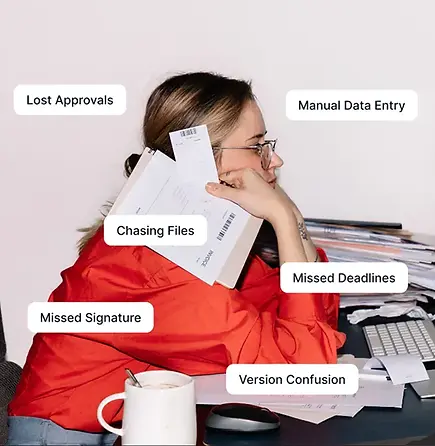
Why automate document processing?
If you're still relying on manual document workflows, you're likely spending too much time on repetitive tasks—and risking costly errors. Manual data entry, approvals, and filing can slow you down and create compliance headaches. By automating these processes, you can:
-
Speed up approvals by removing bottlenecks in multi-step workflows
-
Extract data from scanned documents instantly using AI
-
Route information automatically to cloud storage, CRMs, and ERPs
-
Reduce errors and stay compliant with less manual input
WORKFLOW AUTOMATION
Where automation meets intelligence.
Workflow Automation goes beyond basic automation. With integrated AI, it intelligently processes, classifies, and routes documents, all with minimal human input. Whether you're digitizing HR forms or capturing shipping documentation, the platform adapts to your workflow and scales with your business, helping you work faster, smarter, and more securely.
SMARTER AUTOMATION WITH AI
How AI integration enhances workflow automation.
Unlike static, rules-based systems, Workflow Automation uses built-in AI to understand documents, make routing decisions, and optimize document processing workflows with every interaction.
EFFICIENCY THAT PAYS OFF
Improve your workflow strategy.
If your organization is ready to reduce costs and unlock new levels of operational efficiency, AI-powered automation is the path forward. Workflow Automation combines Toshiba’s reputation for reliability with cutting-edge document intelligence to transform how you work.
Discover how Workflow Automation and AI-driven automation can streamline your entire document processing lifecycle, from capture to classification to routing, with fewer errors and more time for what matters most.
Less friction, more action.
Streamline your workflows, eliminate bottlenecks, and let automation handle the busywork all with one powerful solution. Ready to transform the way you work? Fill out the form, and our team will be in touch to help you get started.

LESS FRICTION, MORE ACTION

What is it?
-
Choose the Right DMS: Tailor your DMS choice to your business needs. Consider solutions like M-Files or DocuWare for specific functionalities.
-
Optimize Indexing: Accurately index documents for easy retrieval. Establish clear folder structures and categories for efficient organization.
-
Digitize Paper Documents: Enhance accessibility and security by digitizing paper documents. Ensure a smooth transition from physical to electronic files.
-
Manage Access Securely: Set access permissions based on document sensitivity. Identify and control access for individuals or departments.
-
Implement Automation: Leverage automation for document workflows and notifications. Enhance consistency in workflow automation processes.
-
Embrace Cloud Storage: Choose between on-premise and cloud storage for flexibility. Cloud storage offers accessibility, collaboration, and heightened security.
-
Maintain Version Control: Enable effective version control for document updates. Facilitate collaboration without compromising document integrity.
-
Conduct Document Audits: Regularly perform internal and external audits. Ensure compliance with sector regulations and identify process improvements.
-
Understand Local Regulations: Familiarize yourself with document retention requirements. Adhere to local regulations for storage and deletion of specific document types. Following these practices optimizes your DMS for efficiency and compliance. Prioritize folder structure, version control, and user permissions Platforms like M-Files can further enhance your workflow automation experience, offering integration and unified solutions.